






CLICK AND PRINT MARKING RUBRIC HERE
Part 1 (Due Week 2)
The aim of this task is to get a satisfying soundtrack synchronised to a pre-recorded silent video clip. You will need to import the footage into Logic Pro X and use loops, midi, and audio to produce a soundtrack that matches the vision. Layering of sounds is imperative, and you will need to include well timed sound effects to emphasise the visuals.
The key elements elements you must use are:
(1) Music
(2) Sound Effects
(3) Atmospheric Sounds
You may also include elements of 'dialogue' and 'foley' sounds if time permits.
Click here for a video that explains these elements of sound in more detail
Download the film (click here) and get started!
Once completed you must export your video for web and attach it to your portfolio site.
Part 2 (DUE WEEK 6)
Before beginning your editing please work through the following video tutorials which explain the fundamentals of video editing in Premiere Pro.
For a step by step PDF on how to set up your project correctly before you start editing (this is very important!) click here
 Premiere Pro Tutorials (Duration approx 32 minutes) |
|
| 1 | Opening the Program (3:50) |
| 2 | Importing Footage and Files (3:40) |
| 3 | Overview of the Working Area (5:40) |
| 4 | Video Effects (6:40) |
| 5 | Video Transitions (3:20) |
| 6 | Speed Manipulation (4:15) |
| 7 | Exporting your Video (4:40) |
For an in depth tutorial on creating dynamic titles in After Effects watch the video below:
You will need to copy footage from the 'Lord of The Rings' folder on 'student sharing' to the local drive of your computer.
Task Description
Sony Pictures have approached your film post-production company to edit together a film trailer for their upcoming Lord of the Rings film. In this task you will use actual clips from the movie and construct a trailer that helps sells the movie.
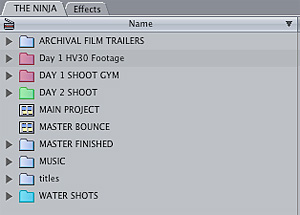
You must begin by by importing vision from the out takes of "Lord of the Rings" into your video editing application. Click here for instructions.
Your product must adhere to the conventions of a movie trailer and as such must include:
(1) A clear 3 Act Structure
(2) Written titles
(3) Possible voice over narration
(3) Mixture of sound (music, atmospheric, foley, sound effects, dialogue)
(5) Dynamic and engaging visuals that helps sell the film to the audience
(5) Fast rhythmic editing
EXPORTING YOUR PROJECT
Your final product will be a dynamic 2 minute trailer that you will compress for web using Adobe media encoder. This video will then be attached to your portfolio site. You must also export a working Edit Decision List (EDL) of your project and email to a friend to make sure it works on another computer.
For some examples of movie trailers click here
Unit of Competency Assessed
CUFPOS201A Perform basic vision and sound editing
Interesting Editing Facts:
What is an Edit Decision List (EDL)?
An EDL is basically data relating to the timecode of offline video files. This data can then be used to link to the full resolution files for outputting the final edit. It can also be used to move editing projects around easily from computer to computer. Click here to watch a basic tutorial on creating EDL's in Premiere Pro.
What is the difference between online and offline editing?
For online editing, you edit clips at the level of quality required for the final version of the video program. This is the default method of working in Adobe Premiere Pro and Final Cut Pro. Online editing works well when the speed and storage capacity of the host computer are adequate to the demands of the video formats used (we usually online edit here at school). For example, most modern computers can handle the data rate of HD in full resolution. They may be challenged, however, by the greater demands of, for example, 4K footage. For many videographers, that’s where offline editing comes in. In offline editing, after capturing high-quality clips, you make low-quality copies of them for editing purposes. After editing, you can unlink the clips in Adobe Premiere Pro (called proxy files) from the low-quality media, and re link them to the high-quality originals. You can finish, render, and export your final product in high-quality. Editing the low-resolution clips allows standard computers to edit excessively large assets, such as 4K footage, without losing performance speed. It also lets editors use laptop computers to edit, for example, while on location. You may edit a project entirely online. On the other hand, you may edit in a two-phase workflow: making your initial creative decisions offline, then switching to online for finishing tasks like fine-tuning, grading, and color correction. You can complete an offline edit of, for example, a 4K project with Adobe Premiere Pro and then export your project to EDL for transfer to an editing system with more powerful hardware. You can then perform the final online edit and rendering, at full 4K resolution, on that system.
MAJOR TASKS
Task
1
Web Portfolios
Task 2
OHS Workbook
Task 3
Band Graphic Design
Task 4
Animation
Task 5
Audio Remix
Task 6
Creative Thinking Assignment
Task 7 - Basic Vision & Sound Edit
Task 8
Screen Industry Research
Task 9
Assist with Basic Camera Shoot
Task 10
Promotional Video
Task 11
Exporting Audio
Task 12
Capturing and Preparing Audio