






CLICK AND PRINT MARKING RUBRIC HERE
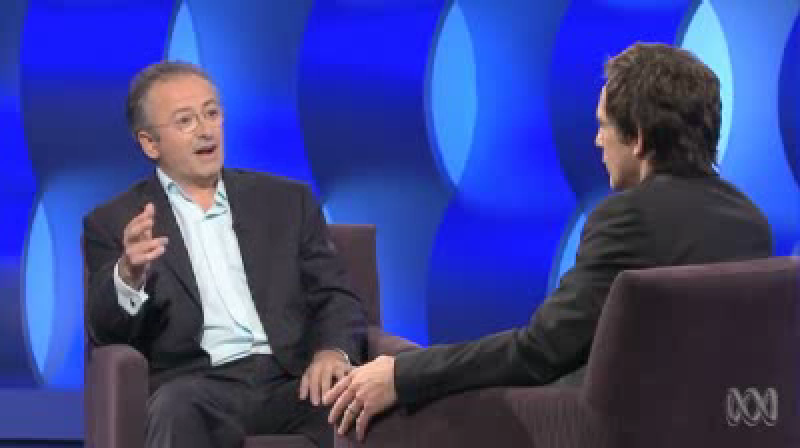
Interview Practical Task
You have been hired by ABC radio to interview famous celebrity _________. You only have ten minutes to interview him/her & must ensure you conduct yourself in a professional manner (click here to see one of Australia's best interviewers in action)
As such you must research your celebrity and plan 3 thought provoking questions. Your producer has requested you touch on the 3 following points.
(a) Their history (how they got started)
(b) Their inspiration
(c) Their future goals
(1) Read this article interviewing tips ( PDF here)
(2) Research your celebrity and prepare your 3 key questions. You will also write down your expected responses based on the research you have conducted.
(3) Practice your questions with a friend (keeping in mind the techniques you've just read about)
(4) Check audio equipment and levels and perform your interview with your partner who will pretend to be the celebrity (with portable recorder or Rode Podcaster)
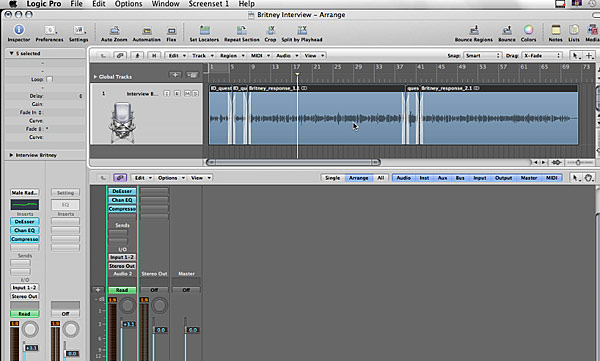
(5) Capture your sounds to logic pro and edit out any mistakes
(6) Add insert effects and equalise sounds before exporting/bouncing your audio file (screen shot your project with your effects visible)
(7) Bounce two versions of the file - AIFF for Radio and MP3 for web
(8) In iTunes add metadata to the file (ie label date and interview information and a photo of Britney)
(9) Attach both versions of the file to your web portfolio
CLICK HERE TO WATCH A DETAILED VIDEO STEPPING YOU THROUGH THIS UNIT
After capturing your interview you will be outputting your finished audio recordings in a variety of formats. You will learn the differences between lossy and lossless file formats and be able to identify and export the major file formats used in the industry today (for our task this will be AIFF and MP3). You will learn the basics of analogue and digital signals and gain an understanding of sample rates and bitrates. You will also be introduced to the basics of EQ and how certain frequencies can be amplified or removed for different purposes. You will also add metadata to your audio file in iTunes.
You will be customising export settings for you various file formats using tools within iTunes and Logic Pro.
For a great explanation on Lossless and Lossy formats watch the video below:
Click here for more information on file formats
Unit of Competency Assessed
CUFSOU301A: Prepare audio assets
MAJOR TASKS
Task
1
Web Portfolios
Task 2
OHS Workbook
Task 3
Band Graphic Design
Task 4
Animation
Task 5
Audio Remix
Task 6
Creative Thinking Assignment
Task 7 - Basic Vision & Sound Edit
Task 8
Screen Industry Research
Task 9
Assist with Basic Camera Shoot
Task 10
Promotional Video
Task 11
Exporting Audio
Task 12
Capturing and Preparing Audio