|
||
      |
||
|
Task
3 Description In this task you are required to capture, edit and export your recently filmed video short story into a compelling 1-minute short film. In order to create a seamless edit you will need to put into practice the techniques and concepts described earlier in the topic information. More specifically you will need to: (1) Set up a new project in the correct format and set your capture scratch to the correct location (2) Capture and import media assets into editing application correctly (3) Understand how to preview footage and set in and out points (4) Demonstrate effective use of the main keyboard short cut keys (5) Display an appropriate use video transitions and basic video effects (6) Demonstrate an appropriate use of speed manipulation techniques (7) Export video in both and uncompressed format and web delivery format 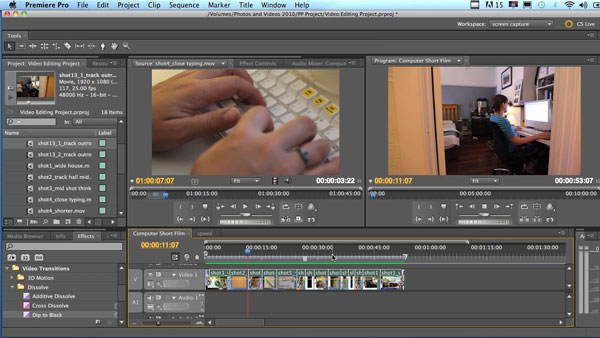 In order to complete this task effectively the following foundational video tutorials should be viewed (if you do not have Quicktime installed you will need to download the free player or alternatively download iTunes which will play the tutorial files and also happens to be a great free media encoder as well!). These video tutorials have been produced to give both teachers and students a step by step guide through all the phases of video editing in both Final Cut Pro and Premiere Pro. If you do not have access to these specific applications you need not worry as many of the principles will still apply to the software that you are using. It is advantageous even for advanced users to revisit the foundational concepts covered in these tutorials, and as such all levels of students are encouraged to work through these videos before they begin the editing task. You can also download our copyright free HD footage to practice the editing techniques by clicking here Click here to download a detailed task description and assessment rubric   |
Editing Essentials
|
Copyright 2012 - Media Teacher Toolkit |
||