|
||
      |
||
|
Welcome
to 'Media Teacher Toolkit' Instructions for use This product will function best if the files are copied across from the DVD to your computer's hard drive. You will need approximately 5GB of free space, a web browser (Firefox is recommended), flash player and quicktime player. If you do not have the required software you can obtain the latest versions for free by clicking the links above. Once you have obtained the relevant software this product will operate in a web based interactive layout that is easy to navigate. Enjoy the resource and be sure to email us if you have any questions. About Us At Media Teacher Toolkit we produce highly engaging copyright free media production tasks designed specifically for media teachers. Our contributors are passionate about media production and have years of both industry and classroom experience - resulting in this unique series of highly effective and hands on projects. At Media Teacher Toolkit our goal is to save you time and provide both you and your students with an enjoyable and effective learning experience. The tasks selected for this series have been used and refined over a number of years and serve as a 'best of' in terms of producing effective outcomes in the classroom. Our resources are both highly practical and highly adaptable. As curriculum requirements vary from state to state and country to country we have designed our tasks with this in mind. As an added bonus all of our content is adaptable and can be customised for your own unique needs. Our products have been developed with teachers professional development in mind providing resources that will help you learn and teach more effectively, expanding your own knowledge and confidence in media production. Our video training has been developed by an Adobe Certified Expert who will give you the building blocks to develop the most effective post-production workflow for your classroom. Each volume we provide includes four detailed tasks that include the following: (1) Clear and concise written task descriptions and contextual background information (in various adaptable formats to suit your needs) (2) Step by step video tutorials explaining detailed task requirements (3) Finished real world exemplars (including adaptable project files so you can model the process to your students in class) (4) Each volume includes copyright free media assets that teachers and students can remix and re-edit legally (5) We also include an adaptable assessment rubric. The rubric highlights core skills and competencies students should be able to demonstrate once they have completed each task. Key Contributor 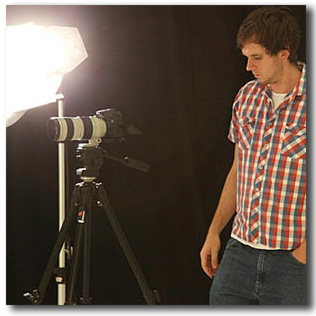 Chad Peacock is an Adobe Certified Expert who's industry experience includes working at Channel 7 (news video editor), being hired as a Director of Photography for television commercials (clients such as IKEA and Crimestoppers), and producing the documentary film 'Light Up Ahead'. Chad has taught media studies for the past 5 years in Western Australia, developing courses for both the Media Production and Analysis course & the Certificate 3 in Media course. Over this time his student's have won numerous awards including Media Review Awards and the West Australian Screen Awards (best secondary production in Western Australia). |
Task 1 - Framing & Composition
|
Copyright 2012 - Media Teacher Toolkit |
||